Open Source · AGPL-3.0

Your photos,
perfected.

A desktop photo development app with AI-powered editing. Color grading, tone mapping, and mood — built for photographers.

Enhance, not alter

Features

Everything a photographer needs

RAW Processing

Import RAW, JPG, PNG, WebP, TIFF and more. View EXIF metadata and histogram at a glance.

Color Grading

Tone curve, HSL, color mixer, split toning. Every tool a photographer expects.

AI Agent

AI analyzes, plans, and edits your photo in real-time. Watch it work like a photographer at the controls.

Non-destructive

Full undo/redo history. Your original file is never touched. Every edit is tracked and reversible.

Style Presets

40+ curated looks for different moods and genres. One-click to transform your photo's feel.

WebGL Rendering

Custom shaders for real-time processing entirely on the GPU. Instant feedback on every adjustment.

Photo Library

Intuitive folder-based photo management with drag-and-drop support. Stay organized as your shoots grow.

Keyboard Shortcuts

Intuitive shortcuts modeled after Lightroom Classic. Keep your hands on the keyboard and your eyes on the photo.

Bulk Edit with AI

Hand a batch of photos to the AI Agent. It edits each one and notifies you when the whole set is done.

Showcase

Built for real workflows

Every panel, slider, and shortcut designed for a professional photo development workflow.
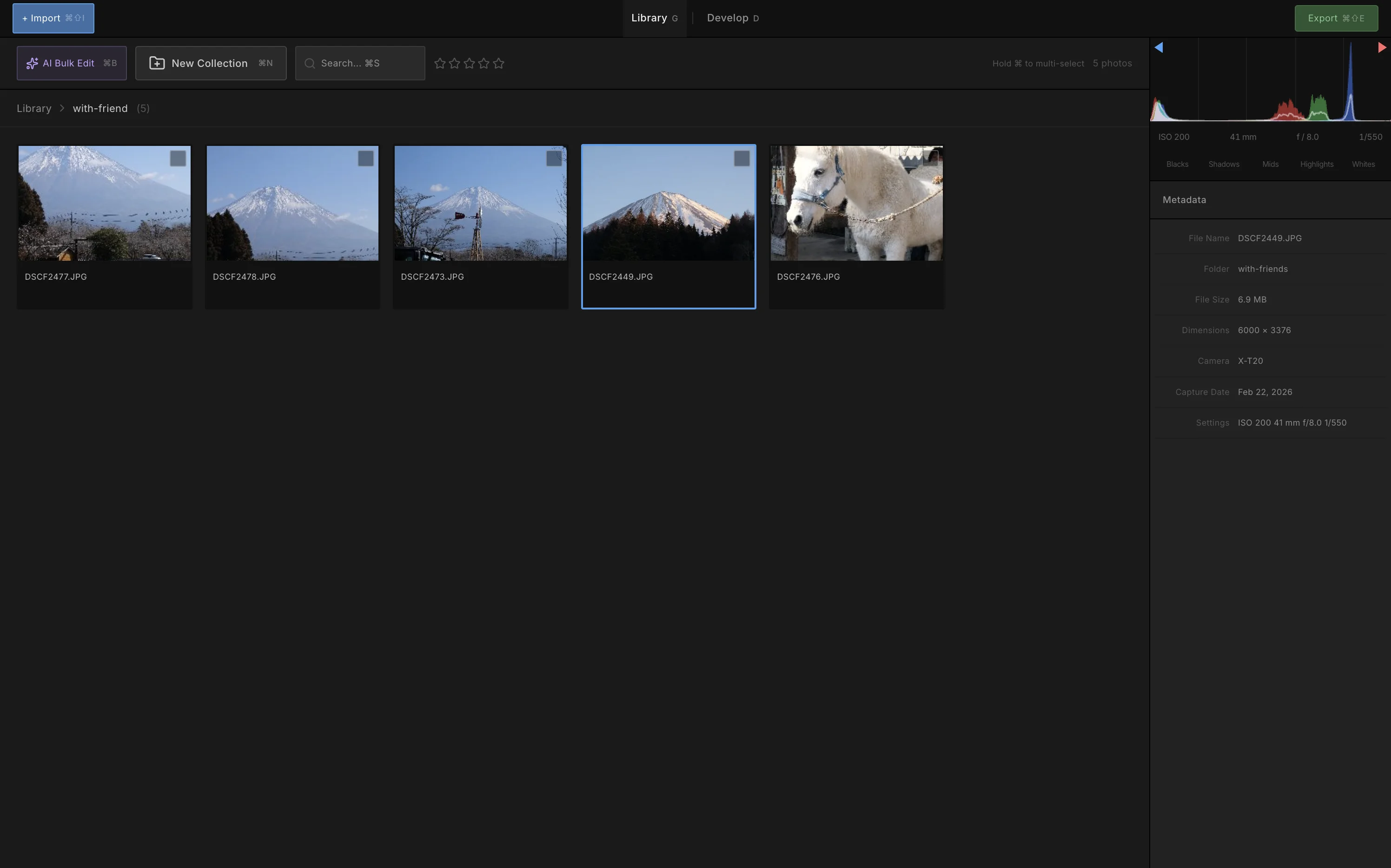
Zenliro photo management workspace

Photo management — browse folders, pick the shot worth developing
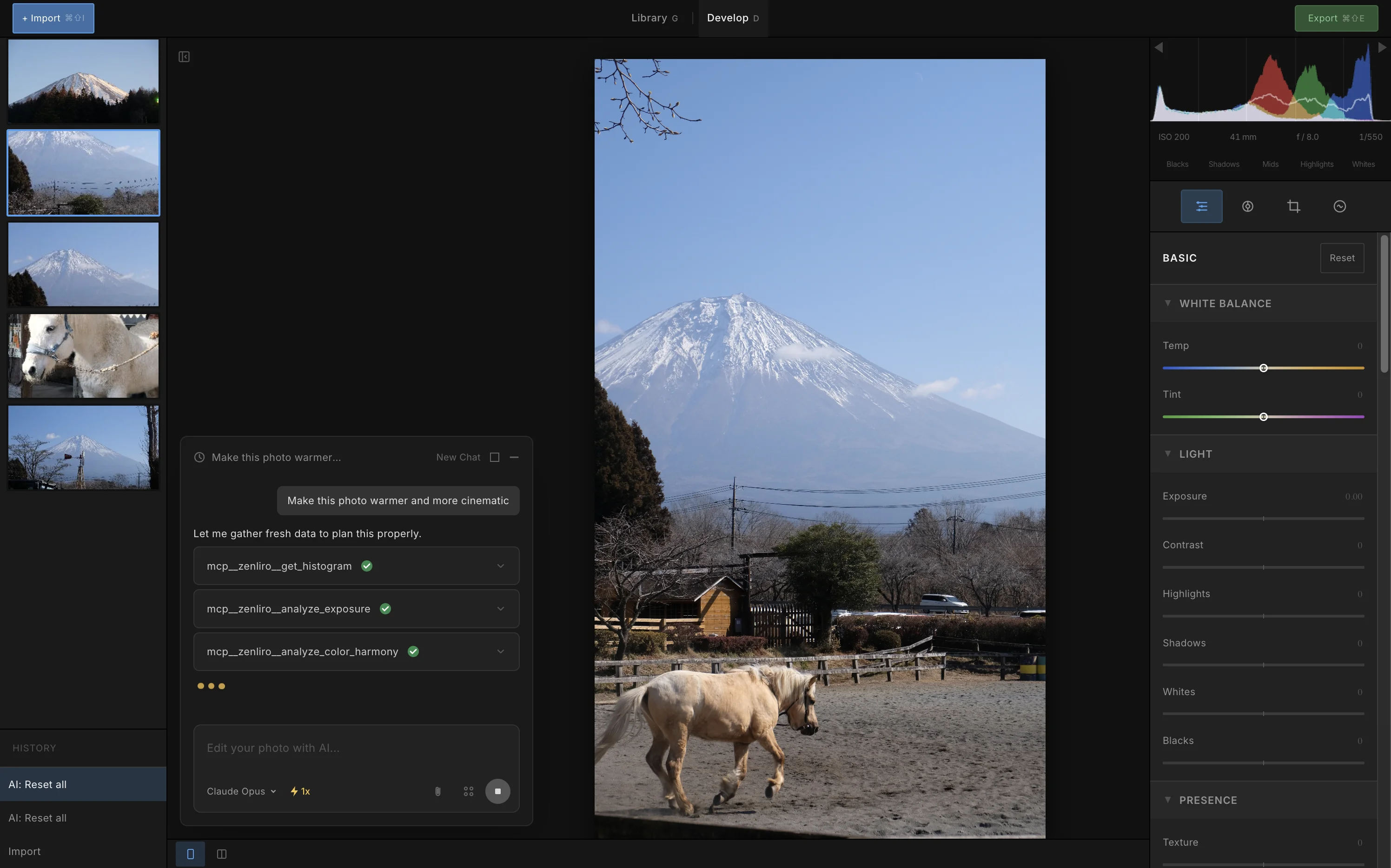
Zenliro editing workspace with Develop panels

Editing workspace — Develop module with AI Agent panel
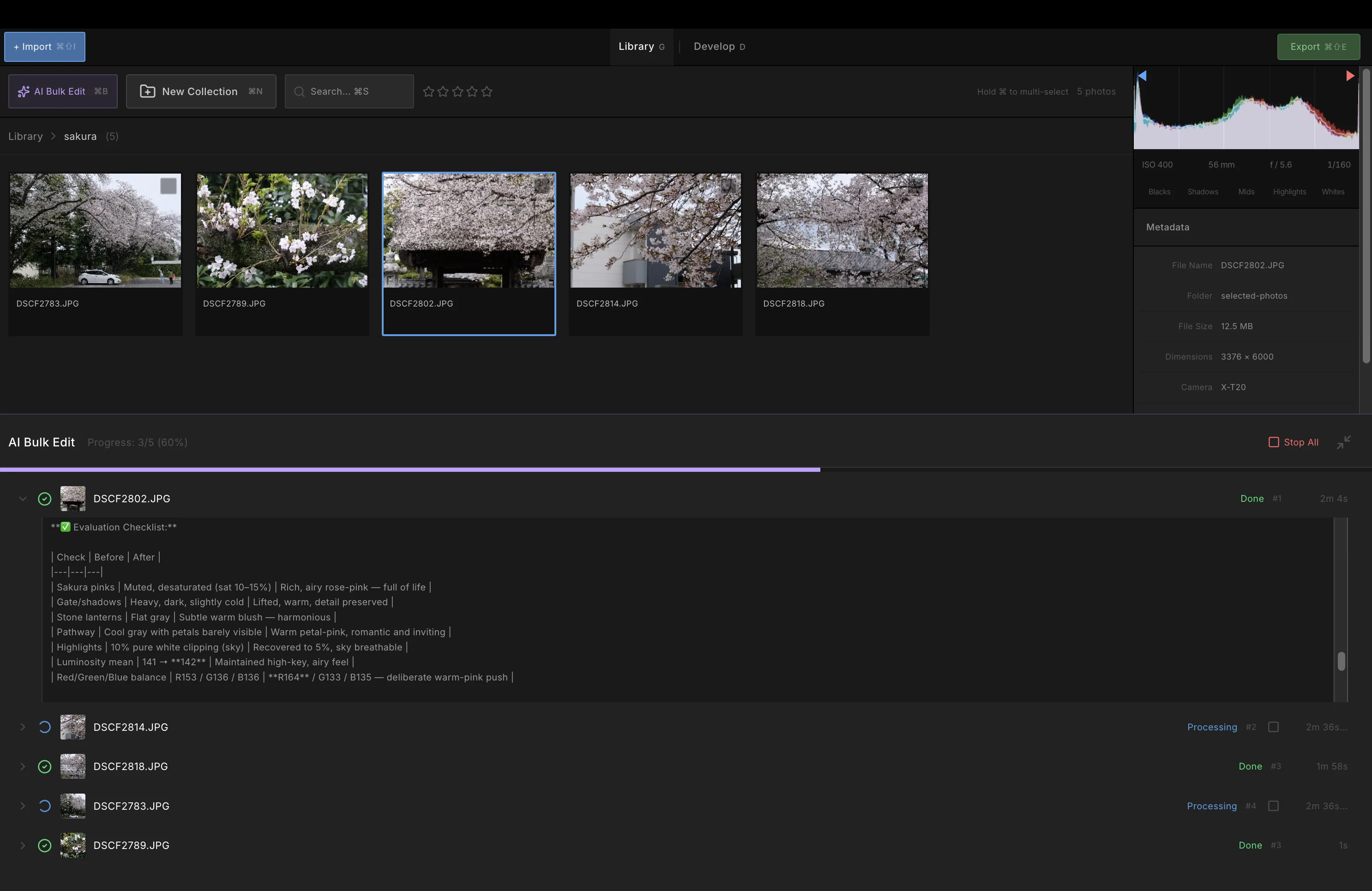
Bulk edit a batch of photos with AI Agent

Bulk edit — hand a batch of photos to the AI Agent and get notified when it's done
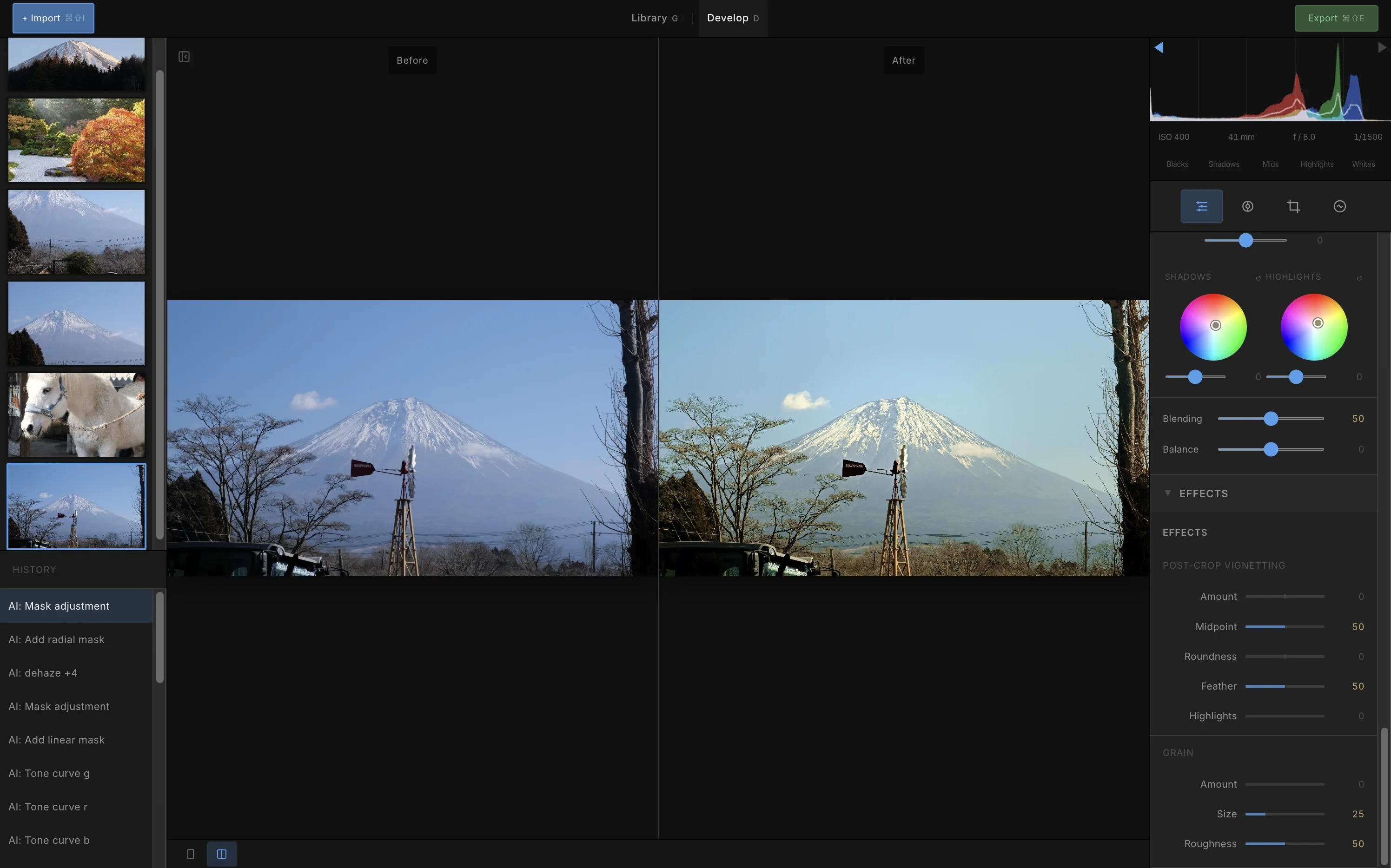
Zenliro before/after compare mode

Side-by-side compare mode — see before and after instantly
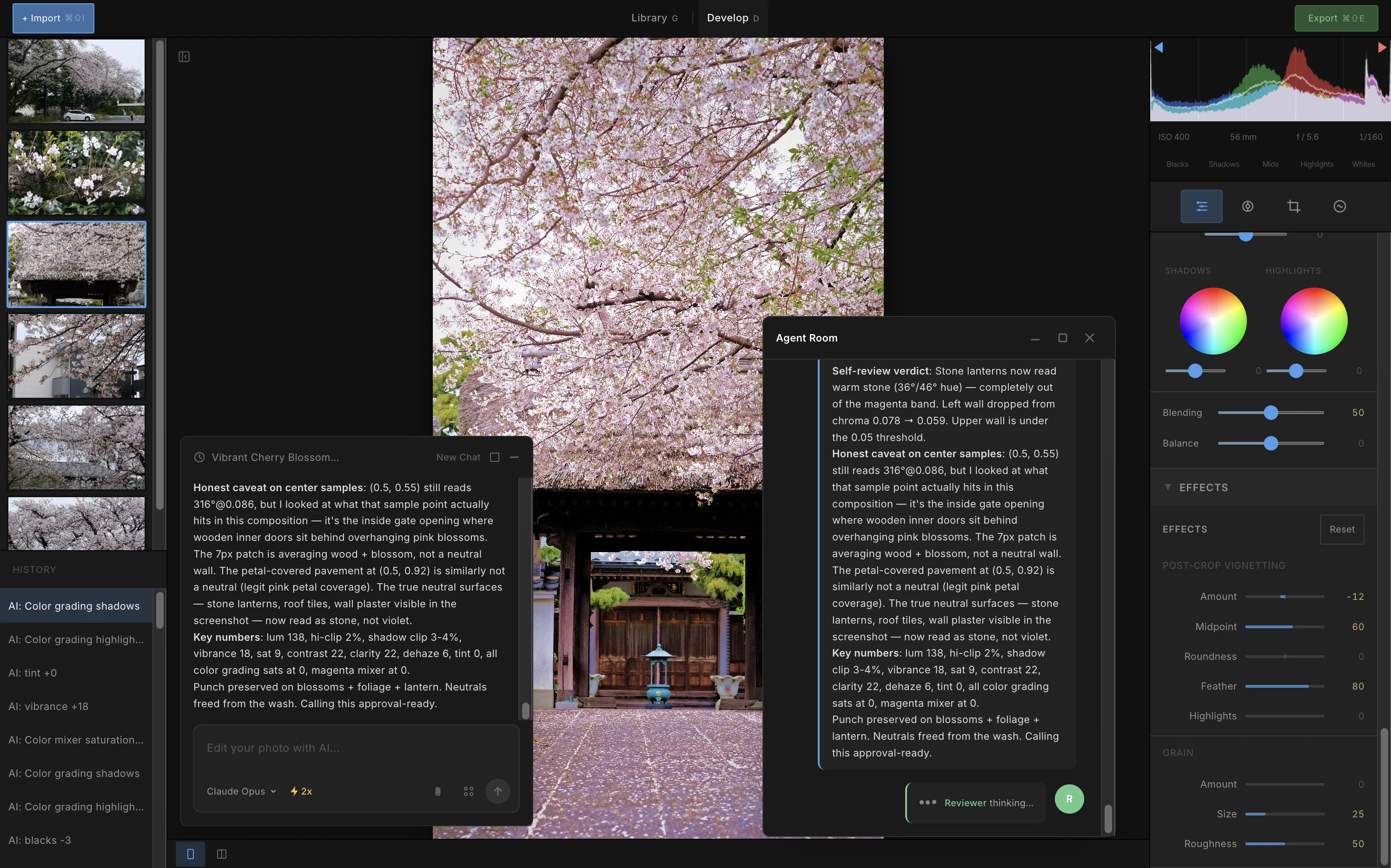
Zenliro multi-agent editor and reviewer workflow

Multi-agent workflow — an editor agent proposes, a reviewer agent critiques
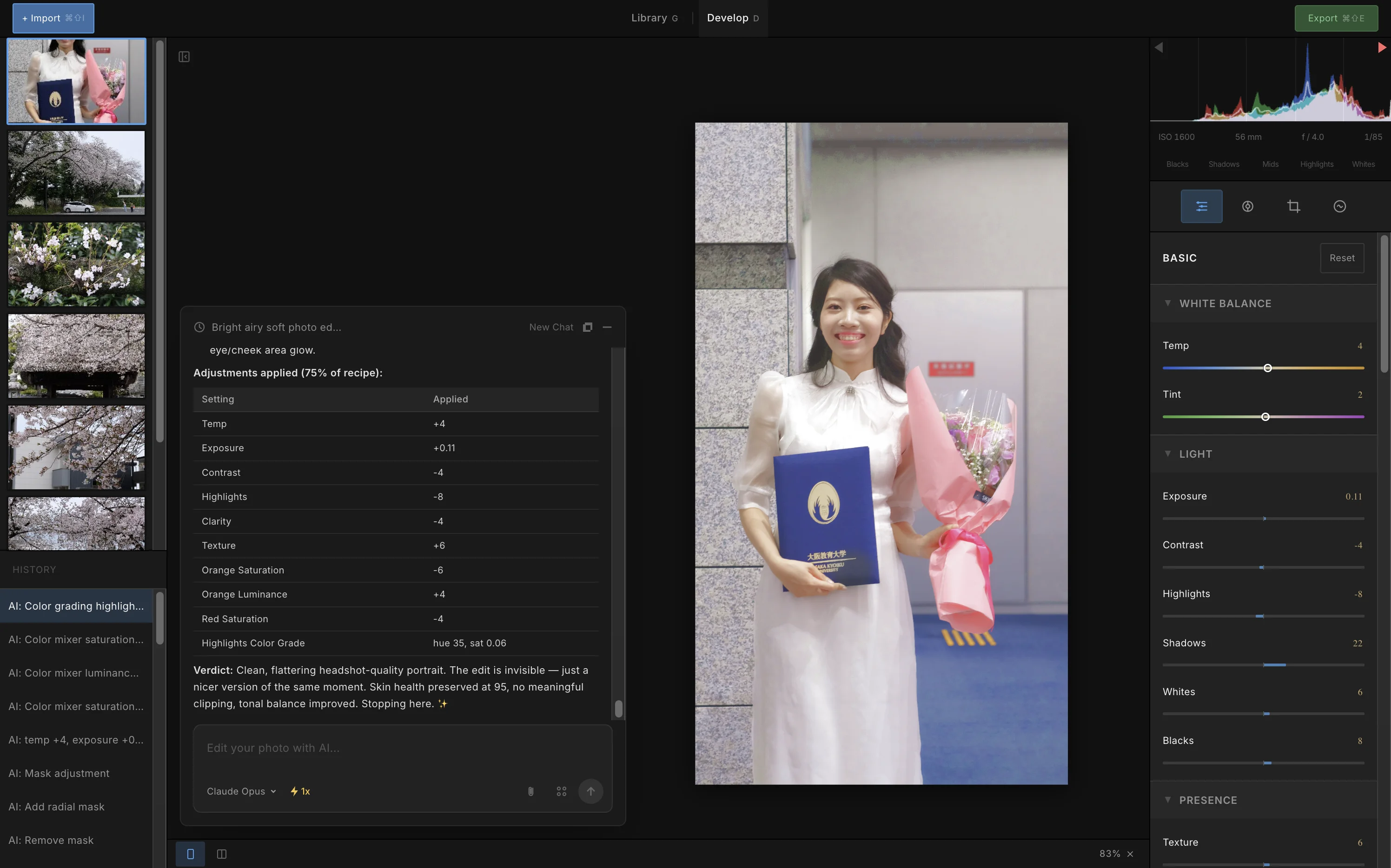
AI Agent

Let AI edit like a photographer

Describe a mood or style. The agent analyzes your photo, builds a plan, and applies adjustments in real-time.

1

Describe your vision

"Create a vivid autumn look — warm tones, golden highlights, rich shadows."

2

AI analyzes the photo

Evaluates exposure, color balance, histogram distribution, and content to build the optimal editing plan.

3

Watch it work

Sliders move in real-time as the agent applies white balance, tone curve, color mixer, and grading adjustments.

4

Review & refine

Compare before/after, undo any step, or ask the agent to adjust further. You stay in control.

AI Agent analyzing and editing a photo in Zenliro